
How to Check Criminal History in Snowflake
Choose the source by record type and stage. Snowflake-Taylor Police Department holds police reports created by its officers. Navajo County detention holds booking and current-custody data after a person is transported to the county jail. Snowflake Justice Court keeps its own lower-level criminal and early felony records. Superior Court holds felony filings and dispositions, while the Arizona DPS Central State Repository supports a fingerprint-based review of your own statewide record. These channels are related, but none gives a complete view by itself.
- Ask Snowflake-Taylor Police Department for the police, incident, or body-worn camera record tied to the event.
- Provide names, location, date and time, record type, and a case or incident number when known.
- Check the official Navajo County jail channel if the Snowflake event resulted in a booking.
- Contact Precinct III or the Superior Court clerk based on the charge and stage of the case.
- Use the AZDPS Record Review Packet for a fingerprint review or correction of your own Arizona repository history.
This route keeps local facts at the front. County and statewide tools are fallbacks when a Snowflake record has moved beyond the police report.
Snowflake Shared Police Records
Snowflake and Taylor share the Snowflake-Taylor Police Department. Its office is at 602 S. Main Street, Snowflake, AZ 85937. The published phone is 928-536-7500 and fax is 928-536-2255. The department states that it serves both communities. That shared structure matters when a report involves an address near the town line. A requester should identify the incident location instead of assuming that a Snowflake mailing address proves which agency created the file.
The official Snowflake-Taylor Police Department site presents the shared agency and local contact channel.
The shared agency name should appear on the report request and any follow-up call. Snowflake Town Hall is not a second police records unit.
The Snowflake Police Department
Snowflake-Taylor PD is the originating office for police records made by its officers. Those files may include the incident or case number, date and time, location, names and party roles, offense type, officer narrative, supplements, evidence references, and releasable media. A report can be redacted to protect victims, juveniles, confidential information, or an active investigation. The record describes what police documented. It does not prove a conviction and may not show a later charge amendment or dismissal.
The department has several access paths. A requester can use the official report-request page, email records@stpd.org, or call the main office for help. In-person contact is available at the South Main Street office. If an online submission does not produce a response, keep the details used in the first request and follow up with the department. Repeated requests with different facts can slow matching and make it harder to identify the same Snowflake event.
Snowflake-Taylor Police Department
602 S. Main Street
Snowflake, AZ 85937
928-536-7500
records@stpd.org
Snowflake Police Request Fields
The Snowflake report page asks requesters to provide all information that can help staff locate a record. Include the names of parties involved, incident address, date and time, and the exact record type. Add the case or incident number when known. Those details are more useful than a broad request for every Snowflake record connected to a name, especially when common names or Snowflake events on similar dates could produce several possible matches.
The Snowflake-Taylor report request page identifies the request details and supported police record types.
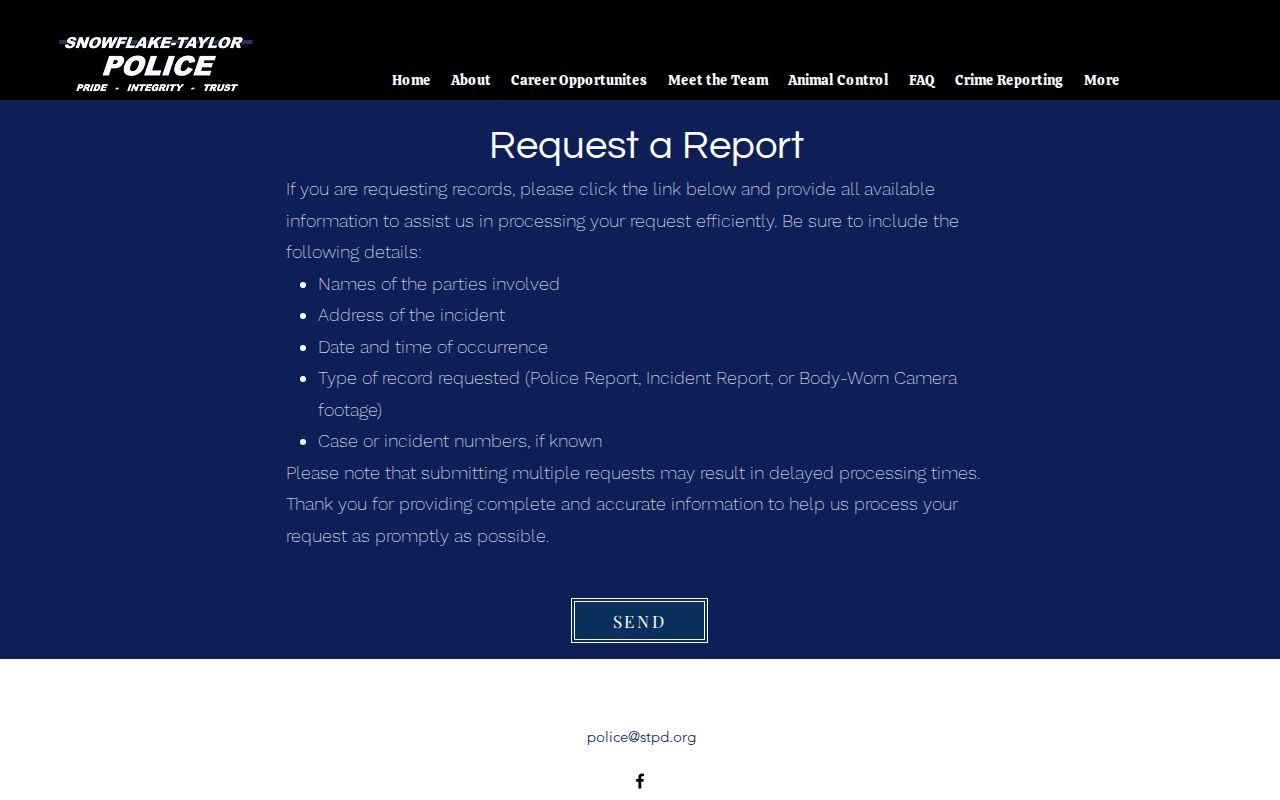
The request page makes the Snowflake protocol clear: a precise event description gives records staff the best chance to find the correct police file.
| Names | List the involved parties known to the requester. |
|---|---|
| Incident Address | Give the place where the Snowflake or Taylor event occurred. |
| Date and Time | Provide the event date and the closest known time. |
| Record Type | State Police Report, Incident Report, or Body-Worn Camera footage. |
| Case Number | Add the case or incident number if it appears on a card, citation, or prior notice. |
Arrests and Bookings in Snowflake
A Snowflake arrest produces a local police record first when Snowflake-Taylor PD makes the arrest. If the person is booked, the custody record shifts to the Navajo County Adult Detention Facility. The county inmate housing report and official sheriff app can show current custody or jail information that a police report request does not. A booking file may include the intake time, arresting agency, charges listed at booking, housing, bond, and release status. It remains an arrest and custody record, not a final court judgment.
Filed charges create another layer. A misdemeanor or early felony proceeding may appear in Snowflake Justice Court, while a felony that advances is handled in Superior Court. Timing can produce a gap between arrest and case entry. If no case appears soon after an arrest, confirm the arresting agency and wait for the charging decision rather than treating the missing docket as proof that the event did not occur. The countywide arrest and booking record routes provide more detail on the jail stage.
Snowflake Police Record Fees
Two official Snowflake sources describe fees differently. The Snowflake-Taylor PD FAQ says Snowflake police records requests may be emailed to records@stpd.org and emailed copies of police reports have no fee. A Snowflake town fee schedule lists charges for police reports and related services. The Snowflake sources may describe different formats, dates, or service types. Do not assume that every emailed item is free or that every listed fee applies to a simple email copy. Verify the current fee with Snowflake-Taylor PD before ordering.
The department's police records FAQ is the source for the email channel and its no-fee statement.
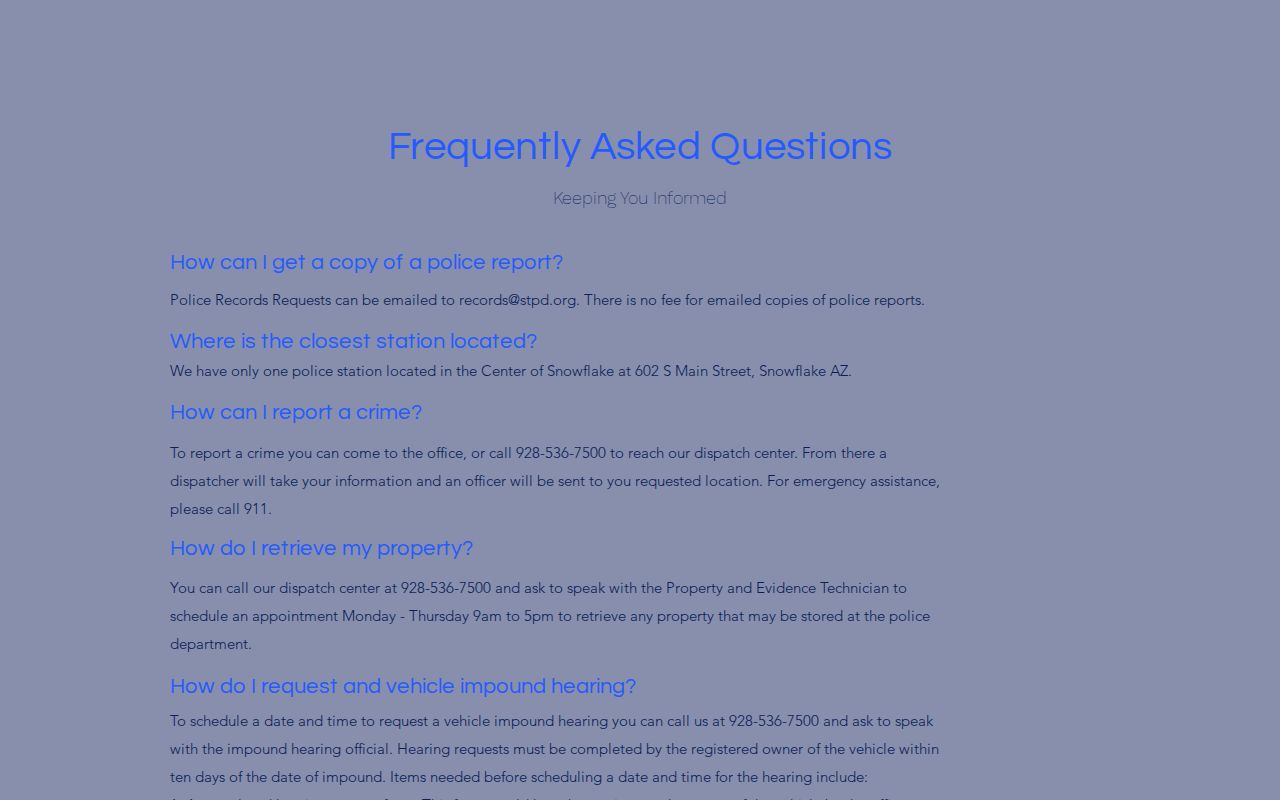
The FAQ helps explain the Snowflake email route, while the published fee schedule remains relevant to other copies and police services.
| Item | Published amount or note |
|---|---|
| Emailed police report copy | FAQ says no fee; verify the current fee with Snowflake-Taylor PD. |
| Police report | $5 for the first 20 pages, then $0.25 per additional page. |
| Incident report | $1. |
| CD | $5. |
| Fingerprints | $10. |
| Local background check | $5 non-notarized or $10 notarized. |
These Snowflake services do not equal the complete Arizona DPS repository record. Note: Verify the current fee with Snowflake-Taylor PD and ask whether format, page count, media, or certification changes the charge.
Snowflake Municipal Court Records
The research identifies Snowflake Justice Court Precinct III as the main official local court route for Snowflake criminal matters. It does not document a separate Snowflake municipal case portal. Precinct III is at 145 S. Main St., Suite D, Snowflake, AZ 85937, and the published phone is 928-536-4141. It handles lower-level criminal matters and felony preliminary stages in its precinct. Felony adjudication and sentencing move to Navajo County Superior Court.
| Court Name | Snowflake Justice Court, Precinct III |
|---|---|
| Case Types Heard | Local misdemeanor criminal matters, civil traffic, felony initial appearances and preliminary proceedings, and related justice-court cases. |
| Case Lookup Channel | Arizona Public Access when the record is eligible to display, plus the Precinct III office at 928-536-4141. |
| What the File Shows | Case number, charges, hearing events, court orders, warrants when public, disposition, and financial entries when applicable. |
| Superior Court Route | Navajo County Clerk of Superior Court for felony filings, documents, outcomes, and sentences. |
Use the Snowflake police department for the incident narrative and Precinct III for the court file. Neither Snowflake office can substitute for the other record.
Snowflake Criminal Court Precinct
Precinct III gives Snowflake a local county court contact instead of requiring every first inquiry to begin in Holbrook. The county identifies Judge Hunter Lewis and notes his election in 2022 after work as a deputy county attorney and in private practice. The Snowflake court's role matters more to a records search than the judge biography: it receives the local matters assigned to the precinct and handles early stages of felony cases before any transfer to Superior Court.
Call Precinct III when a citation, release form, or hearing notice names that court. Use Arizona Public Access for an initial public case check, but remember its limits. Sealed cases, protective orders, victim and witness data, juvenile delinquency or incorrigible cases, and local ordinance charges do not appear there. When an eligible Snowflake case is missing, the direct court contact is the best fallback.
Snowflake Criminal Record Types
A police report, booking entry, court docket, and repository history have different custodians and fields. Mixing them can make an arrest look like a conviction or make a court result seem absent because only the police file was checked.
- Police report
- The Snowflake-Taylor PD narrative and evidence record for an incident investigated by its officers.
- Incident report
- A local agency record of a reported event, which may or may not include an arrest.
- Body-worn camera footage
- Officer video tied to an event, subject to review, redaction, format limits, and any current fee.
- Booking record
- The Navajo County jail intake and custody file created after transport and admission.
- Court record
- The filed charge, hearing, order, disposition, and sentence maintained by the proper court.
The department request page expressly lets a requester name Police Report, Incident Report, or Body-Worn Camera footage. That choice should match the needed Snowflake record, not serve as a request for all records about a person.
Snowflake Record Demand and Growth
Snowflake was Navajo County's third-largest incorporated place by the 2020 Census. Its count rose from 6,104 in 2020 to a July 1, 2025 estimate of 6,902. The growth helps explain why a shared local records office needs complete request details. More reports and more residents can make a vague name-only inquiry harder to match, while an incident number and event date sharply narrow the search.
Population does not change the legal route. Snowflake-Taylor PD still holds its own police files, county detention holds bookings, Precinct III holds assigned justice-court matters, and Superior Court holds felony cases. The town's growth is context for records demand, not evidence about crime. Official research did not retain a local crime-count series, so no unsupported crime trend should be inferred from population alone.
Where Snowflake Records End Up
A Snowflake police file stays with Snowflake-Taylor PD even after another office acts. County detention adds a booking file if custody occurs. The proper court adds charges, hearings, orders, and a disposition after filing. Fingerprints and reported court outcomes may reach the Arizona DPS Central State Repository. Public court access and personal DPS review remain separate channels because Arizona does not publish a general repository name search.
Record flow: Snowflake-Taylor PD › Navajo County Courts › Arizona Department of Public Safety Central State Repository
Use the first available case or incident number to follow that path. Recent activity belongs with the police or jail. The filed outcome belongs with the court, and a personal statewide accuracy review belongs with AZDPS.
Public Access Rules
Arizona Public Records Law supports inspection and copies of public records, but it does not make every Snowflake criminal record unrestricted. Police may redact victim data, juvenile information, confidential material, and active investigative content. Courts restrict sealed and protected files. Arizona DPS repository records follow statutory dissemination limits and use the fingerprint Record Review Packet for personal review. Ask the relevant custodian to explain a redaction, withheld item, or fee before changing the scope of a request.
Key Statutes:
A.R.S. § 39-121 opens public records for inspection unless another law restricts them.
A.R.S. § 39-121.01 allows record copies and permits lawful copy and mailing charges.
A.R.S. § 41-1750 creates and governs the Arizona DPS Central State Repository.
A.R.S. § 41-1756 penalizes unauthorized access, use, or release of criminal-history information.
A narrow Snowflake request with accurate event details is easier to review and less likely to sweep in restricted information.